July 28, 2026
How to get verified translations in Claude or ChatGPT
We have great news. Now you can.
When you ask Claude or ChatGPT to translate something, you get one answer. That model's best guess. No cross-check, no way to know if a term got flattened, a register shifted, or a language pair went unverified. The model has no signal for its own errors.
The MachineTranslation.com Connector changes that. Connect MachineTranslation.com to your AI assistant and instead of one model's answer, you get the version 22 AI models agreed on — right inside your chat.
The problem with single-model translation
Ask Claude to translate from English to Spanish, and it gives you a translation. It probably sounds right. But here's the gap: Claude has no way to check its own work. If the term is wrong, if the idiom got flattened, if the tone shifted from formal to casual, Claude produces all of those just as confidently as it produces correct translations.
You don't know which happened unless you speak the target language yourself. That's where the verification problem lives.
A single model, no matter how capable, is a single opinion. For regulated work (legal, medical), high-stakes business translation, or any situation where you need to know if the output is right, a single opinion isn't enough.
How the MachineTranslation.com Connector works
MachineTranslation.com runs 22 independent AI models in parallel on every translation request. They all take the same input text. They all produce an output. Only the version the majority of them agree on gets returned to you.
That agreement is verification. It's not a guess that sounds good. It's consensus.

The Model Context Protocol (created by Anthropic) is the delivery mechanism. It's an open standard that lets your AI assistant call external tools directly inside the conversation, instead of forcing you to leave the chat and use a separate app.
So when you ask your assistant to translate something after the Connector is set up, here's what happens:
- Your assistant recognizes the request
- It calls the MachineTranslation.com server with your text and language codes
- The server runs your text through all 22 models in parallel
- The consensus is returned to your assistant
- Your assistant gives you the result, all within the same conversation
No leaving the chat. No copy-pasting. No losing context.
Ready to try verified translations?
No credit card required. Start with a 24-hour unlimited translations option, or test free on our web platform first.
How to set it up (three steps)
Setup takes about one minute across Claude, ChatGPT, Cursor, or any assistant that supports custom connectors.
1. Open your assistant's connector settings
Look for "Connectors," "Integrations," or "Add tool." You want the option to add a custom or remote connector. Claude and ChatGPT both call this "Add custom connector."
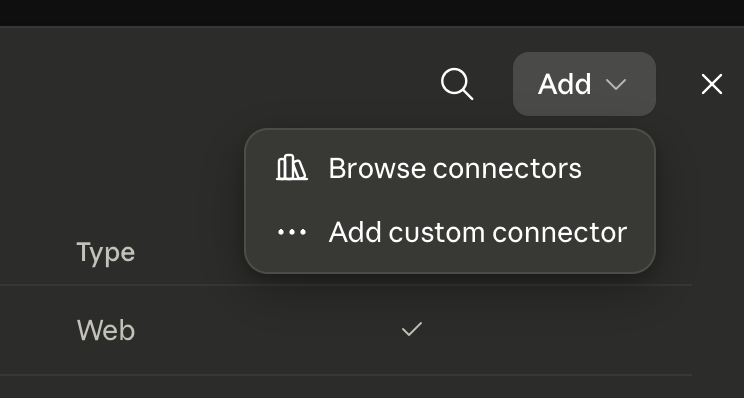
Not a paid user yet? You can test the consensus mechanism free on our web platform. Once you're ready to use it inside Claude or ChatGPT, the 24-hour unlimited translations option is the quickest way to try the integration. View all plans here.
2. Paste the server URL
Enter:https://www.machinetranslation.com/mcp
3. Log in with your MachineTranslation.com account
Use your credentials from any paid plan (24-hour, monthly, or annual). The Connector needs a paid account to manage load. Both tools activate automatically. Auth happens once and persists across sessions.
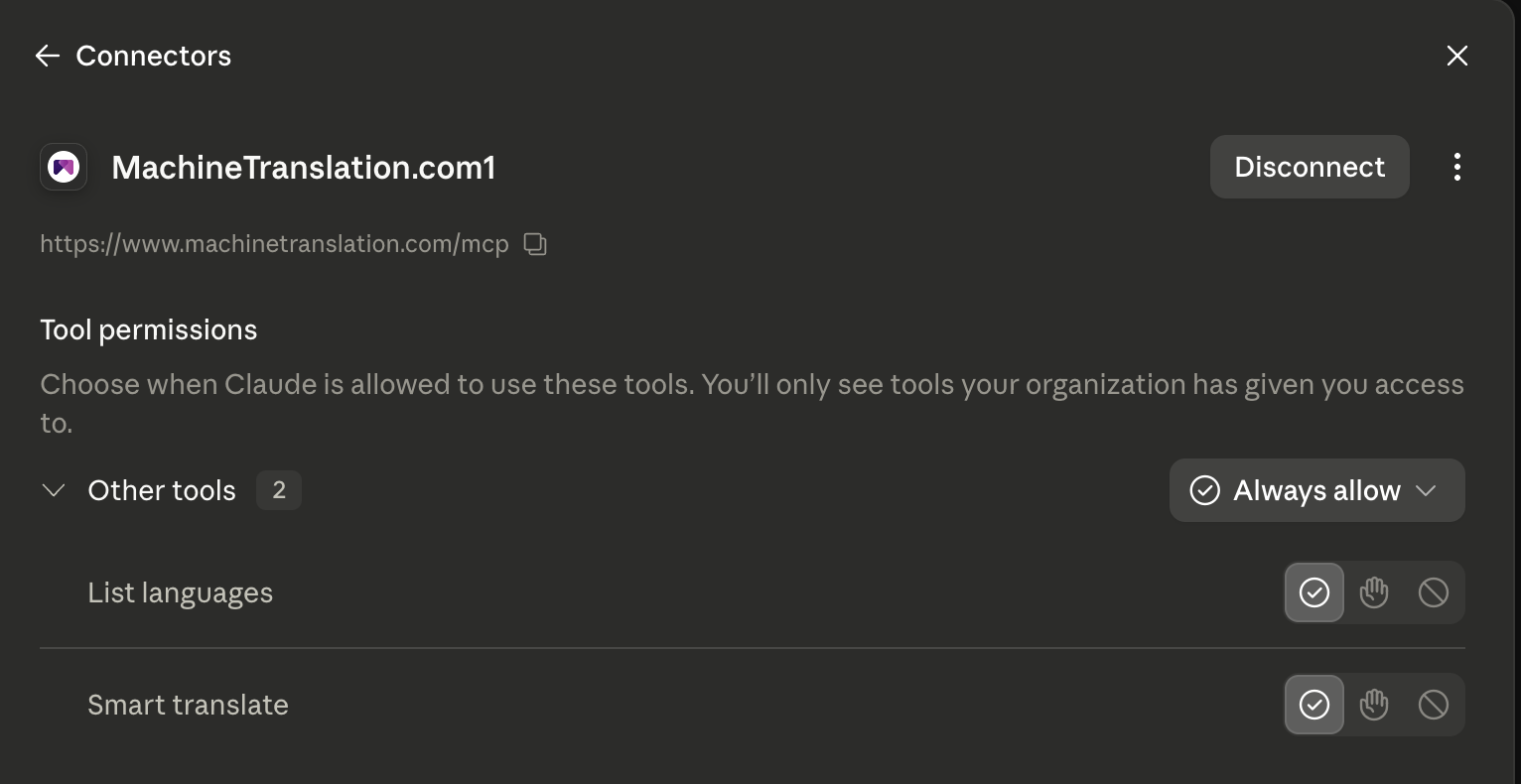
What it looks like in Claude or ChatGPT
Here's where the abstract becomes concrete. Two real examples.
Example 1: Translating a sentence
Prompt: "Use the machinetranslation smart_translate tool to translate this from English to Tagalog: 'Our office will be closed for the holiday on Monday.'"
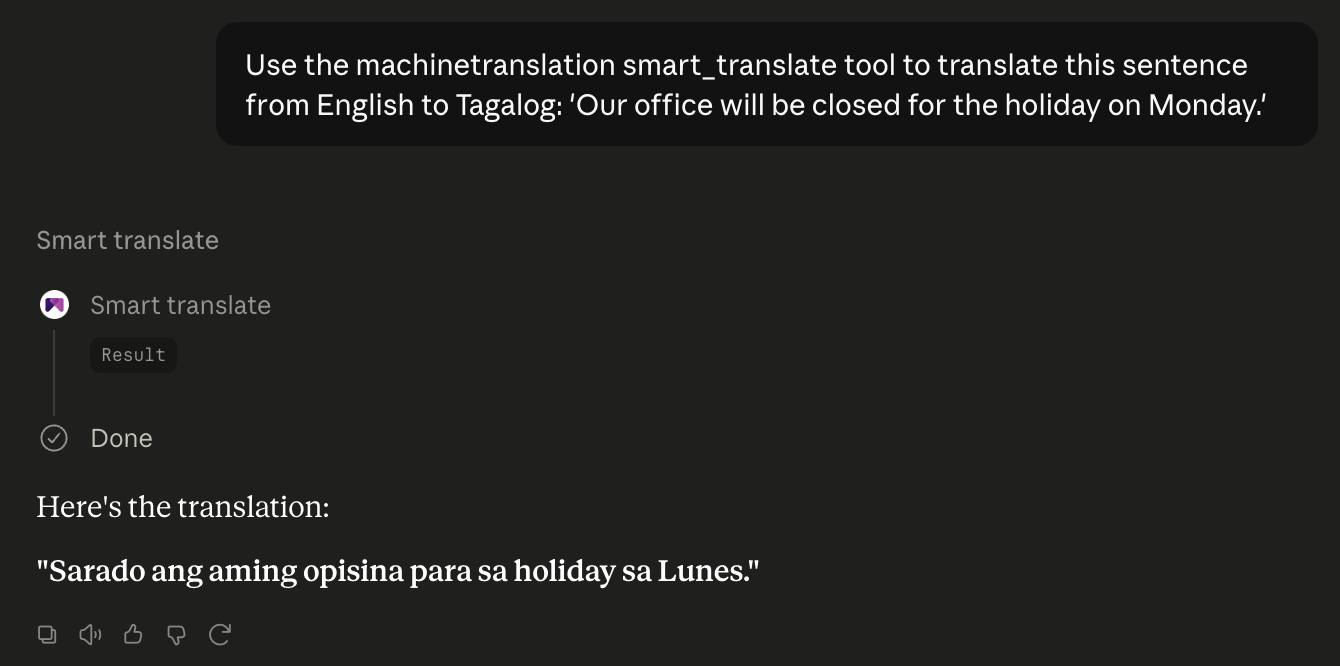
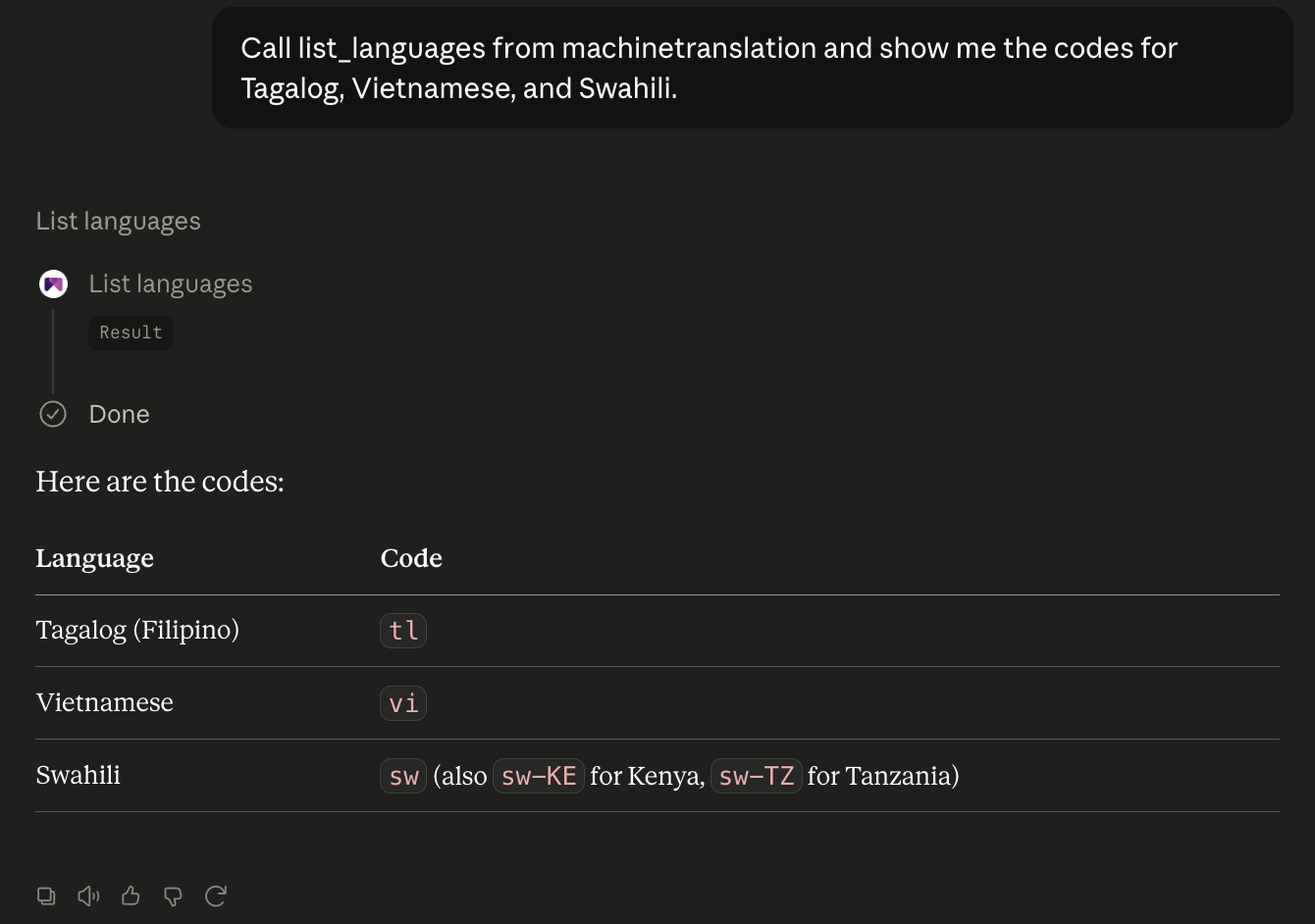
Example 2: Looking up language codes
Prompt: "Call list_languages and show me the code for Tagalog, Vietnamese, and Swahili."
Language support
The MachineTranslation.com Connector covers the same language range as the main platform:
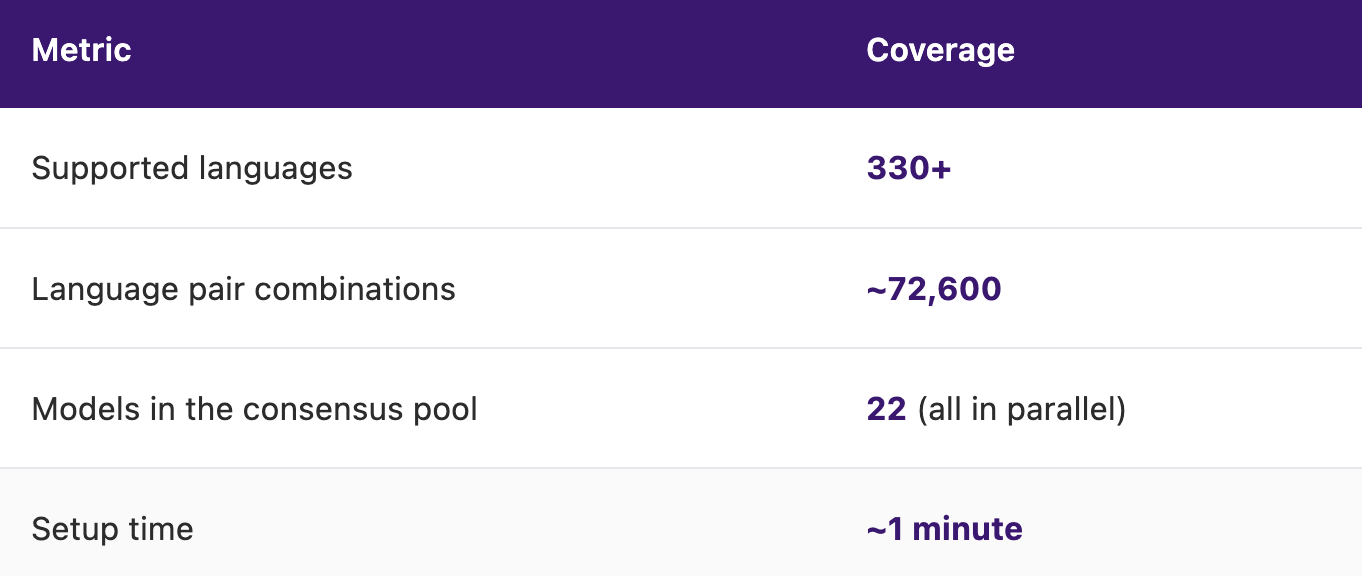
The only difference between the website, the API, and now the Connector is how you reach the translation. The engine stays the same.
Why it doesn't slow you down
Running 22 models sounds like it should take longer than running one. It doesn't, and the reason is straightforward: every model runs in parallel, not in sequence.
The Connector doesn't wait for model 1 to finish, then start model 2, then model 3, and so on. It starts all 22 at the same time and collects their results as they finish — usually within milliseconds of each other. The response time is dominated by the slowest model in the pool, not the sum of all 22.
There's no separate application layer between your assistant and the platform either. The Connector calls the same APIs the rest of MachineTranslation.com uses. Authentication happens once at setup and persists across sessions. No second system, no session tracking overhead.
If it feels instant to you, that's because the engineering work went into making sure adding this entry point didn't touch the parts that were already fast.
Why the 22-model approach works: According to Slator's article, MachineTranslation.com's SMART consensus approach reduces translation errors by 90% compared to single-model output. That's why consensus matters.
Learn more about consensus-based translation
Want to understand how the SMART consensus mechanism actually works under the hood? We published a detailed breakdown of how 22 models reach agreement and why that agreement becomes a quality signal. If you're already a free user and thinking about upgrading, our pricing page explains what each plan includes, including Connector access. And we also announced this feature when we first started building it.
The question isn't whether your assistant can translate
It's whether you'd know if it got something wrong. Now you don't have to guess.
Frequently asked questions
1. How do I add the MachineTranslation.com Connector to Claude or ChatGPT?
2. Why can't my AI assistant just translate on its own?
3. What is the Model Context Protocol?
4. Do I need to know how to code to use this?
5. Which AI assistants support the MachineTranslation.com Connector?
6. Is the translation quality different from using the website?
7. Who can use the MachineTranslation.com Connector right now?

By Shashank Jain
Connect on LinkedInShashank leads engineering at Tomedes, where he's responsible for making 22+ AI models run as one platform without anyone noticing the complexity underneath. He writes about how AI translation actually gets built and kept running plus the architecture decisions, the performance trade-offs, and the parts that only look simple from the outside.
Share:


