May 30, 2025
Why Most AI Translators Struggle with Large Files and How to Overcome It
Uploading a long report to an online translator often leads to errors or limits. Most AI tools are built for short text, not full documents with complex formatting. MachineTranslation.com solves this by supporting large files like PDFs, Word docs, and Excel sheets—without breaking layout or losing content.
Your business likely deals with detailed files such as manuals, contracts, or product catalogs. These require more than just basic translation—they need to stay clear and well-structured. If the tool you’re using can’t handle that, the result is often messy and incomplete.
With MachineTranslation.com, you can translate large documents easily and accurately. It’s built for real-world tasks, giving you fast, professional translations without format issues or file size limits.
What’s really behind AI translators struggling with large files
Most AI translators struggle with large files because of limitations in processing power, memory, and input size restrictions. Many models are optimized for shorter segments of text, which leads to issues like truncated translations or loss of context when handling lengthy documents. Additionally, uploading large files can strain server capacities or hit usage limits, especially on free or basic-tier plans.
To overcome these challenges, users can break large documents into smaller, logical sections to maintain context and translation quality. Choosing platforms that support batch processing or document-level translation features can help manage workload efficiently. For critical content, combining AI-generated drafts with human review ensures both speed and accuracy.
8 Common limitations of AI translators with large files
Translating long or complex documents using standard AI tools often reveals serious limitations that affect quality, consistency, and usability. If you rely on large file support for accurate and professional translations, it's important to understand where many platforms fall short.
1. File size restrictions
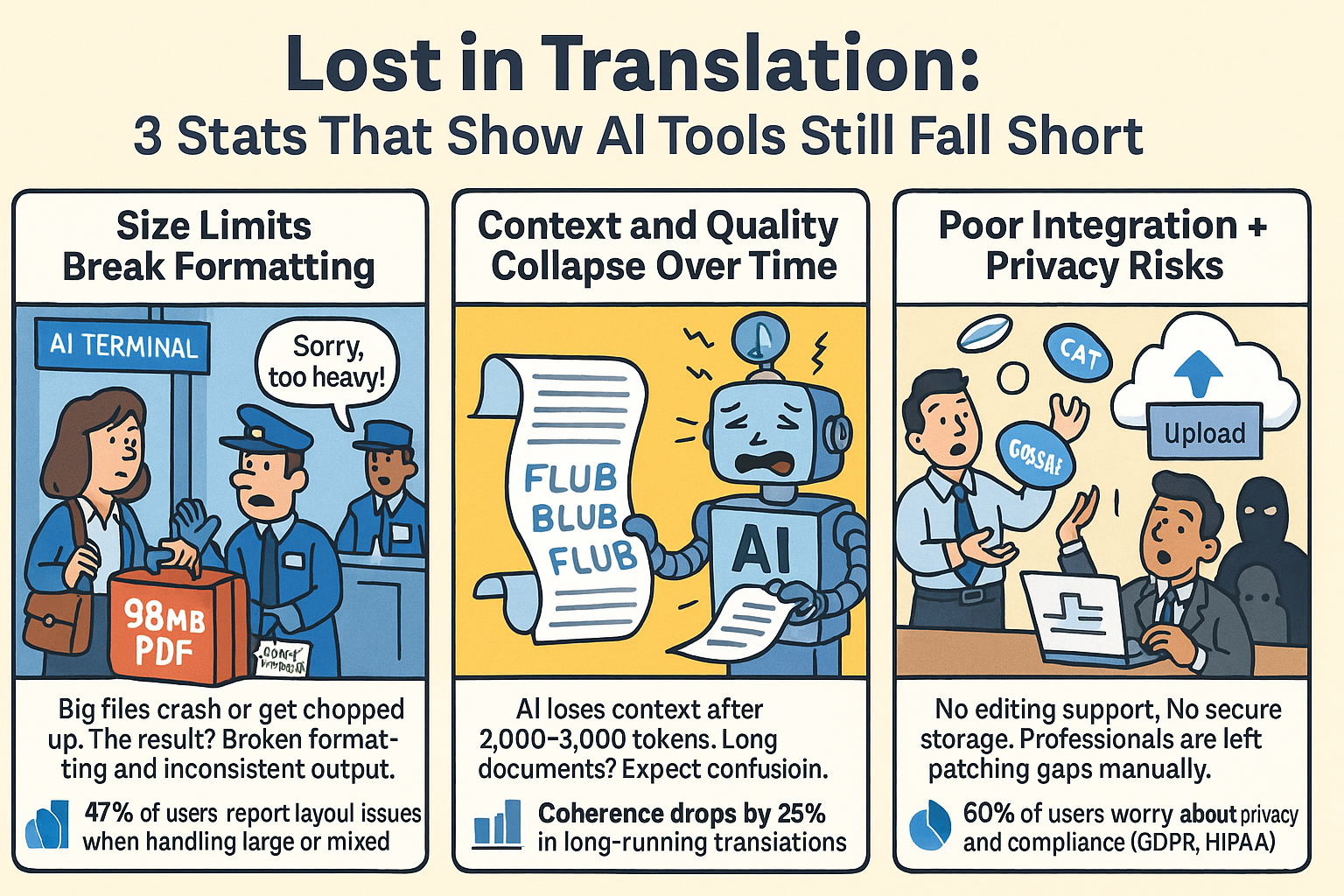
Many AI translation platforms—such as Claude AI, Gemini, ChatGPT or DeepL—enforce strict file size limits. If your document is a large PDF, Word report, or Excel sheet, it might exceed the allowed upload threshold. Trying to work around this by splitting the file often leads to broken formatting and translation inconsistencies across sections.
2. Context loss across sections
AI models often struggle with long-form content. Studies show context retention sharply declines after 2,000–3,000 tokens (~1,500–2,000 words), causing shifts in tone, unclear pronouns, and inconsistent terminology. This results in fragmented outputs that lack cohesion.
3. Formatting and layout issues
Documents like user manuals, legal files, or technical specs often include complex formatting. AI translators may ignore or misinterpret layout elements such as tables, charts, or footnotes. When that happens, the translation loses visual clarity and might misrepresent important data or structure.
4. Limited support for multiple languages in one file
Some documents—like bilingual contracts or multilingual marketing decks—include more than one source language. Most AI tools expect just one language and often translate everything into a single target language, even when parts should stay as they are.
This can cause confusion, especially when accuracy matters for legal or brand reasons. On top of that, 47% of users report layout problems—like broken tables, charts, or missing footnotes—when using basic AI tools for these complex files.
5. Data security and upload concerns
Translating sensitive files like medical records or legal documents on cloud-based tools comes with privacy risks. If the platform isn’t GDPR or HIPAA-compliant, your data may be exposed or improperly stored. This is especially concerning when handling proprietary or regulated content that requires strict confidentiality.
6. Inability to handle embedded content
Translating sensitive files—like medical or legal documents—using cloud-based tools can be risky. If the platform isn’t GDPR or HIPAA-compliant, your data might be exposed or stored unsafely. This is a big concern for confidential or regulated content. In fact, about 60% of users say data privacy is their biggest worry when uploading files to AI translation tools.
7. Lack of post-editing integration
For large-scale projects, machine translation post-editing (MTPE) is often required to ensure accurate translations. However, many AI tools don’t offer integration with CAT tools or professional editing environments. This forces users to copy and paste manually, slowing down workflows and increasing the chance of errors.
8. Quality drops in long-running processes
AI tools often struggle with large files. As the translation gets longer, quality can drop—phrases may repeat, sections might be skipped, or the meaning can get lost. This happens because of token limits and model fatigue. In some cases, tools even time out before finishing. Coherence can drop by up to 25% after 4,000 tokens in models like GPT.
Why some AI engines struggle with large files
Token limits remain a hard barrier for many AI models. Once your document hits a certain size, it either fails to process or gets automatically cut off. That’s a serious problem when you’re translating lengthy, detail-rich material.
Most free tools lack any built-in document processing features like OCR. If you feed them a scanned invoice, they return nothing—or worse, random gibberish. No segmentation also means editing is painfully slow, especially if you need to verify long blocks of content.
The core issue? These platforms weren’t made for structure-rich or data-heavy content like charts, appendices, or annotations. If your work involves more than casual web copy, you need something built for accurate translations with real content integrity.
Best practices for using AI translators with large files
Working with large documents doesn’t have to be frustrating—if you follow a few smart steps. AI translators can deliver accurate translations at scale when you set them up right. Here’s how to get the best results without breaking your workflow.
Use compatible file formats
Always check that your file type is supported—formats like PDF, DOCX, XLSX, and CSV work best. If you’re dealing with scans or images, make sure the tool includes OCR (Optical Character Recognition). This ensures that text is extracted cleanly and ready for translation.
Avoid manual copy-paste
Uploading full documents directly is safer and more efficient than copying content into a text box. Manual pasting can strip formatting, miss embedded content, or lead to partial translations. Tools like MachineTranslation.com handle entire files and preserve layout integrity.
Break long documents into segments for review
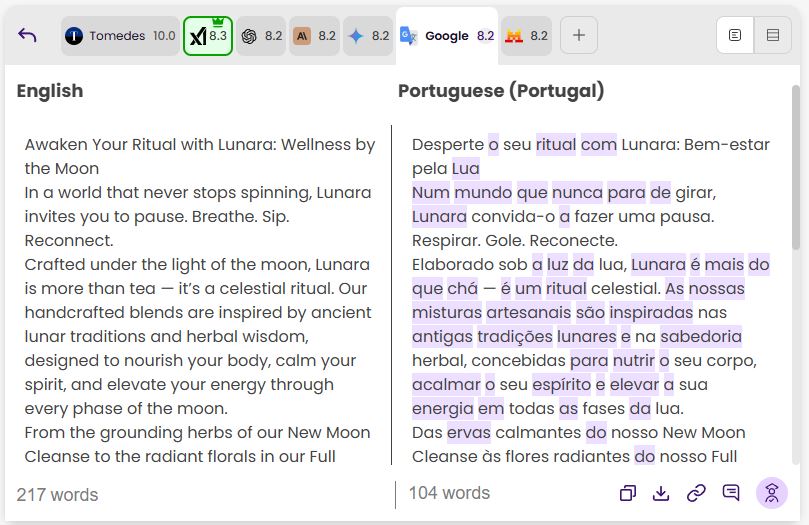
Use platforms that support segmented bilingual views, so you can review and edit section by section. This helps you maintain consistency, especially with terminology and tone. It’s ideal for lengthy contracts, manuals, or reports with structured content.
Enable human review for sensitive content
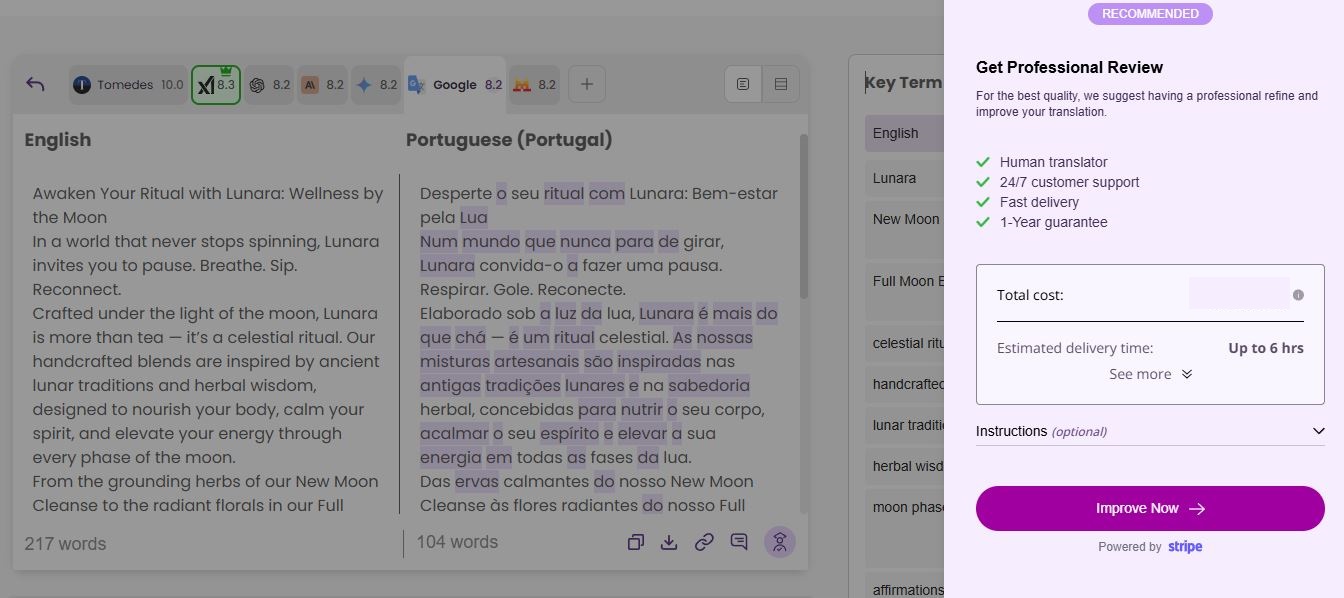
For legal, medical, or regulatory documents, pair AI with Human Certification. A certified linguist can polish the translation, ensuring 100% accuracy where it matters most. This hybrid approach gives you both speed and professional-grade results.
 Batch files when working at scale
If you're translating a folder full of documents, choose an AI translator that supports bulk upload and batch processing. This avoids repetitive steps and reduces the chance of human error. It’s especially useful for compliance teams, marketers, or localization managers.
How MachineTranslation.com overcomes these challenges
Instead of relying on just one AI engine, MachineTranslation.com aggregates outputs from multiple top-tier AI models. That gives you a better chance of finding a high-quality match for your file type and content. You’re not stuck with a one-size-fits-all engine.
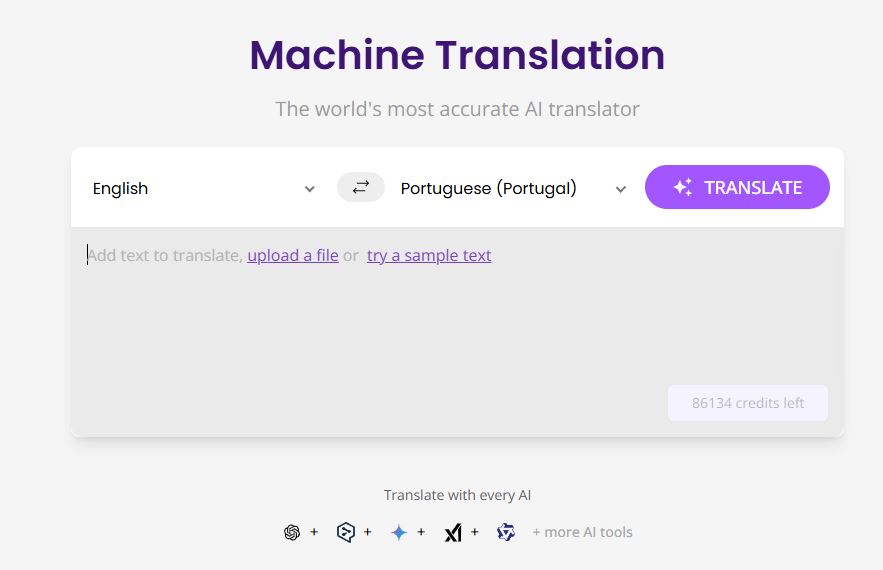
Scanned files don’t pose a problem either. With OCR built-in, image-based documents are automatically processed and made editable. Whether it’s an invoice or an old PDF scan, you’ll get translatable, editable text.
For long documents, segment-level editing is your secret weapon. It allows fast, precise corrections and helps you maintain structure across hundreds of lines. When needed, Human Certification offers a final layer of review—ideal for legal, medical, or public-facing content.
Final thoughts: Choose a scalable AI translation tool
Not all translation platforms are created equal—especially when file size, structure, and format matter. If you’re working with large documents or complex layouts, picking the wrong tool means wasting time and risking accuracy.
MachineTranslation.com is built for scale, accuracy, and real-world content. Whether you're a project manager, marketer, or compliance officer, this platform helps you deliver accurate translations and professional translation quality at speed.
Tired of AI translators failing on large files? Subscribe to MachineTranslation.com and get fast, accurate translations for full PDFs, spreadsheets, and more—no formatting loss, no file limits.

By Clarriza Heruela
Clarriza Mae Heruela graduated from the University of the Philippines Mindanao with a Bachelor of Arts degree in English, majoring in Creative Writing. Her experience from growing up in a multilingually diverse household has influenced her career and writing style. She is still exploring her writing path and is always on the lookout for interesting topics that pique her interest.
Share:


