November 5, 2026
How to translate a product catalogue or website pages with AI
Export your catalogue or pages as a CSV, XLSX, or HTML file, take out everything that must not change, pin your brand and product names, upload the whole file, and read the agreement signals before you import anything back. A catalogue goes through MachineTranslation.com as one file up to 70MB, into several languages in one session, and the places where the 22 models disagree tell you which products to review first.
Catalogue translations rarely fail on the big sentences. They fail in the small stuff. A product name gets translated, a price changes format, a tag breaks, a size means something different in the new market. I came up through SEO at Tomedes, so my first question about any translated page is whether shoppers and search engines can trust it, and in my experience both reward credibility. A catalogue full of small errors loses it one page at a time.
A one-page product sheet we ran from English to German shows the pattern. The pricing table kept its structure and the “Order by October 31” callout came back with a German date. But one of the four product names was translated (“Atlas Core Bench” became “Atlas Core-Bank”), and two of the four prices switched from “$249.00” style to “249,00 $”. It is one sample, so read it as examples of failure types. It gives no failure rate.
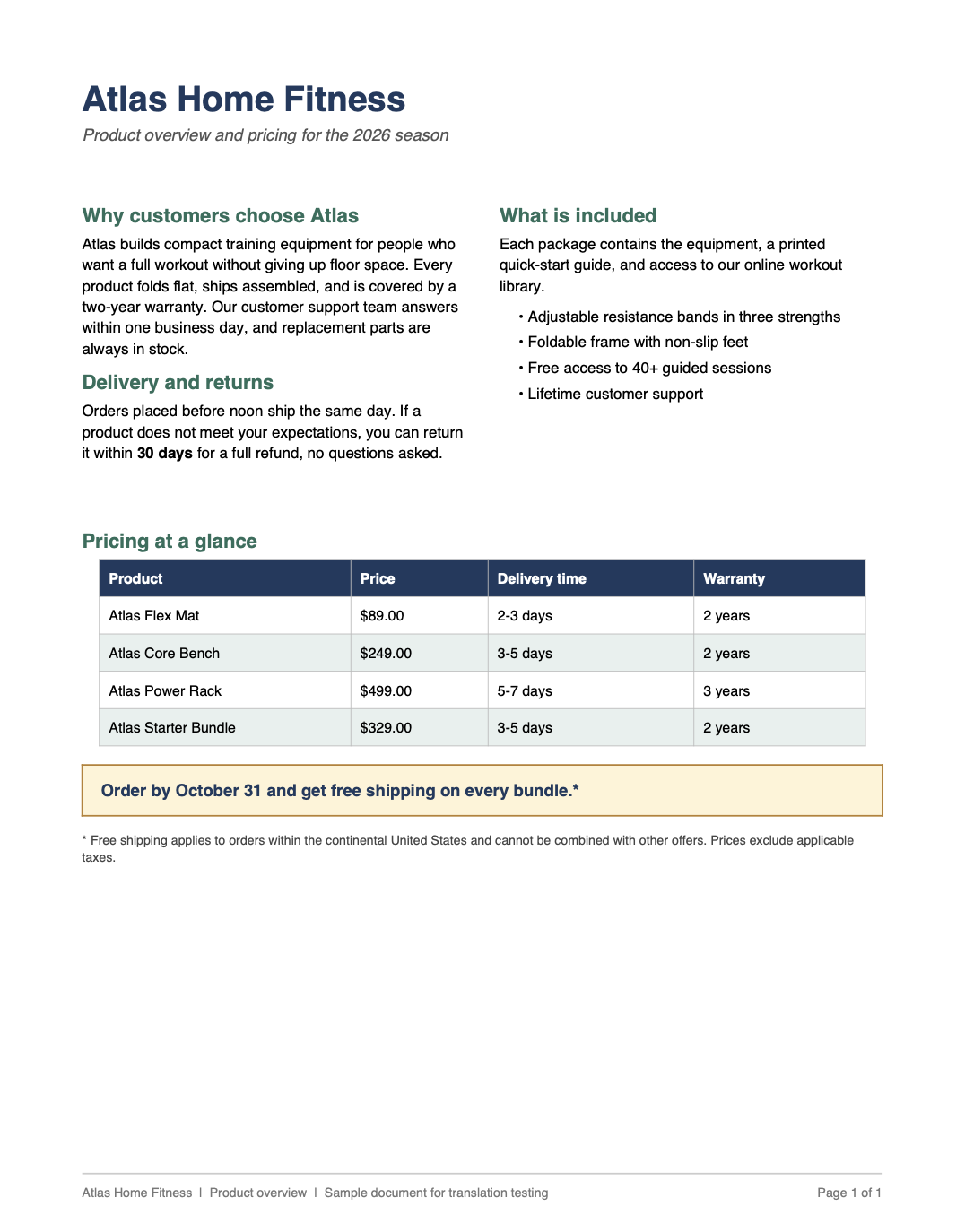
This guide covers the file route: product data in CSV or XLSX, pages in HTML, and the checks that keep them intact. It does not cover choosing markets or picking a platform, and copy that makes warranty, safety, or health claims needs a person to read it.
Key takeaways
- Export what you are translating: a CSV or XLSX for products, HTML for pages. Upload the whole file, not pasted sections.
- Keep SKUs, prices, URLs, and IDs out of the translation file, and pin up to 10 brand and product names with Key Term Translations.
- Several files and several languages can go in one session on every plan, and plan word limits still apply.
- Read the agreement signals first, then review by category and by risk, not by row order.
- Translate titles, meta descriptions, and alt text, give each language its own URL with hreflang, and have a person review pages before they go live.
Can you translate a whole product catalogue or website with AI?
Yes. Upload the product file or the page files, choose your languages, and download translated files in the original format. What no AI model can give you is a guarantee that every product name, size, and claim comes through right, and a catalogue has thousands of them.
A single model can translate a name that should stay as it is, reformat a price, or phrase a claim more strongly than the source does, and nothing flags it. MachineTranslation.com runs the file through up to 22 models and returns the version most of them agree on. The agreement rate and the list of disputed terms tell you where to look first, which matters when you cannot read every row.
What goes wrong in a translated catalogue, and what do you do about it?
Six things account for most of the damage. Each one has a cheap fix if you plan for it before you upload.
Where catalogue translations go wrong
| Element | What can go wrong | What to do |
|---|---|---|
| Brand and product names | A name is translated or varies between pages. In our test, “Core Bench” became “Core-Bank” | Pin up to 10 with Key Term Translations and keep the rest on a review list |
| Prices and numbers | Formats switch inside one column. In our test, two of four prices changed style | Keep price, SKU, and size columns out of the translation file and format them per market in your platform |
| Units and sizes | Inches, pounds, or clothing sizes mean something else in the new market | Convert in your data, then read the sizing text for every category |
| Tags and placeholders | Markup or template variables get altered | For HTML, only visible text is translated and tags stay intact. Check that placeholders survive in a staging copy |
| Claims and regulated copy | A warranty, health, or safety statement reads stronger or weaker than the source | Send it to a person. Human Verification is free for up to 2,000 words a month on paid plans |
| Titles, meta descriptions, alt text | They stay in the source language or go unreviewed | Translate and review them with the body copy, as Google’s guidance asks |
How do you translate a product catalogue or website pages with AI, step by step?
Seven steps, in the order that protects the data.
Step 1: Export in a format that keeps the structure
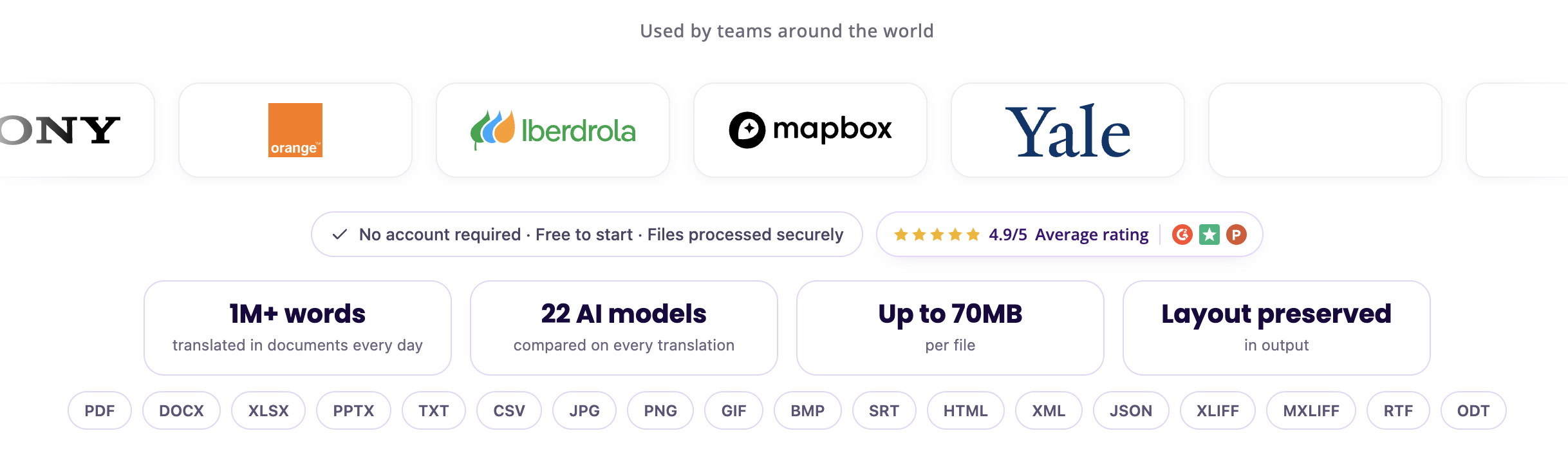
Export products as CSV or XLSX, pages as HTML, and feeds as XML or JSON. All of these are on the supported list, up to 70MB per file. For an Excel file, MachineTranslation.com translates the content while preserving the data structure: column headers, cell values, and labels. Save a CSV as UTF-8 so accented characters survive.
Step 2: Take out what must not change
Make a working copy that holds only the columns that need translating: titles, descriptions, feature bullets, category names, alt text, and meta descriptions. SKUs, prices, URLs, and IDs stay in your master file. Keep one ID column in the working copy so you can match rows afterward, and check that the IDs come back unchanged.
Step 3: Pin your brand and product names
Write down the names that must stay exactly as they are or have one approved rendering: the brand, product lines, and feature names. Key Term Translations lists up to 10 critical terms per document and shows the percentage of the 22 models that agreed on each rendering, so you can choose one and enforce it across the whole file. If you have more than 10 names, put the rest on your review list and search the output for them.
Step 4: Upload everything in one session
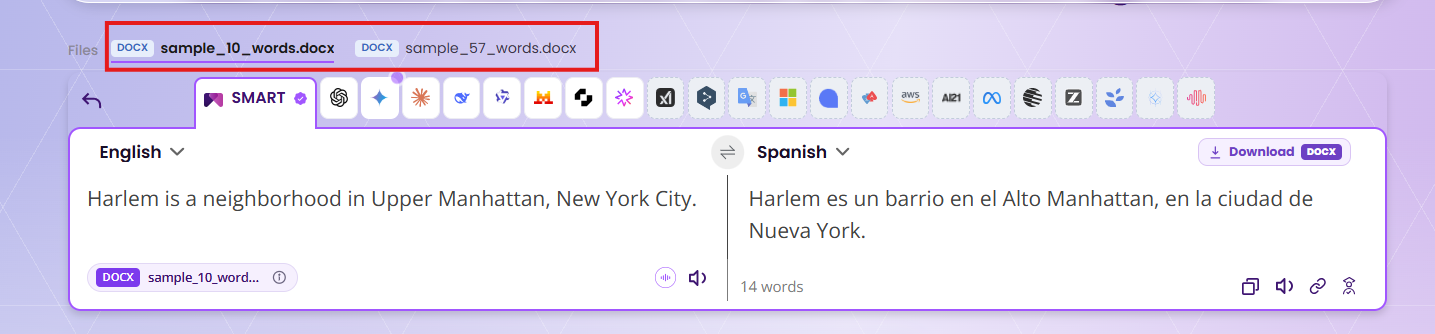
MachineTranslation.com lets you add multiple files and multiple target languages in a single session, on every plan, and each file comes back in its original format. Plan word limits still apply, so check the limits table below before you pick your languages. Choose the regional variant that fits the market, such as French (Canada) or Portuguese (Brazil) and Portuguese (Portugal).
Step 5: Read the agreement signals before you read the translations
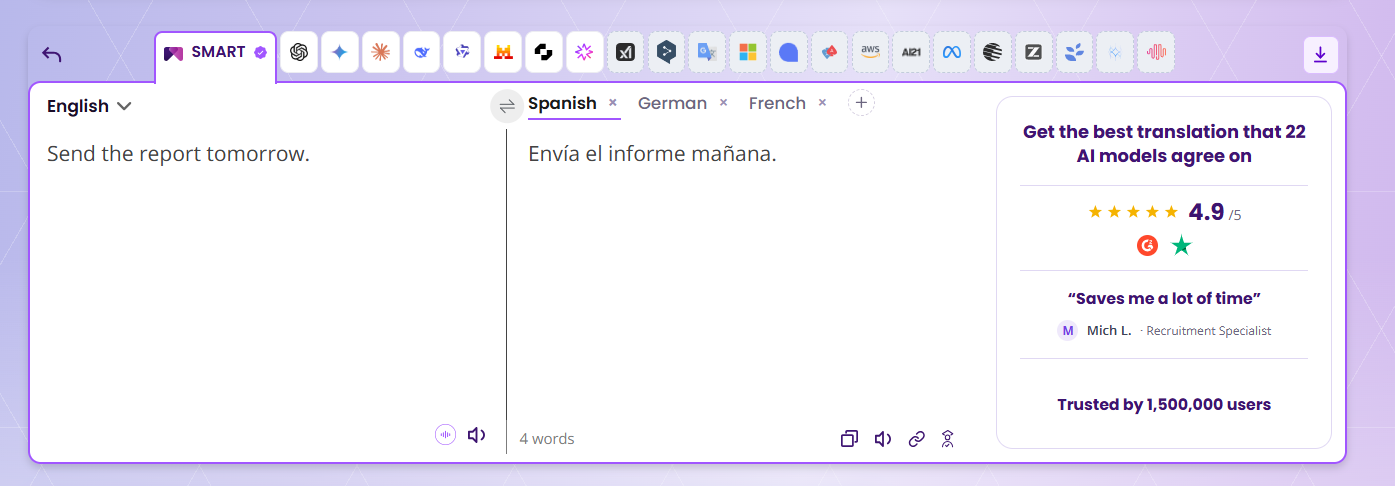
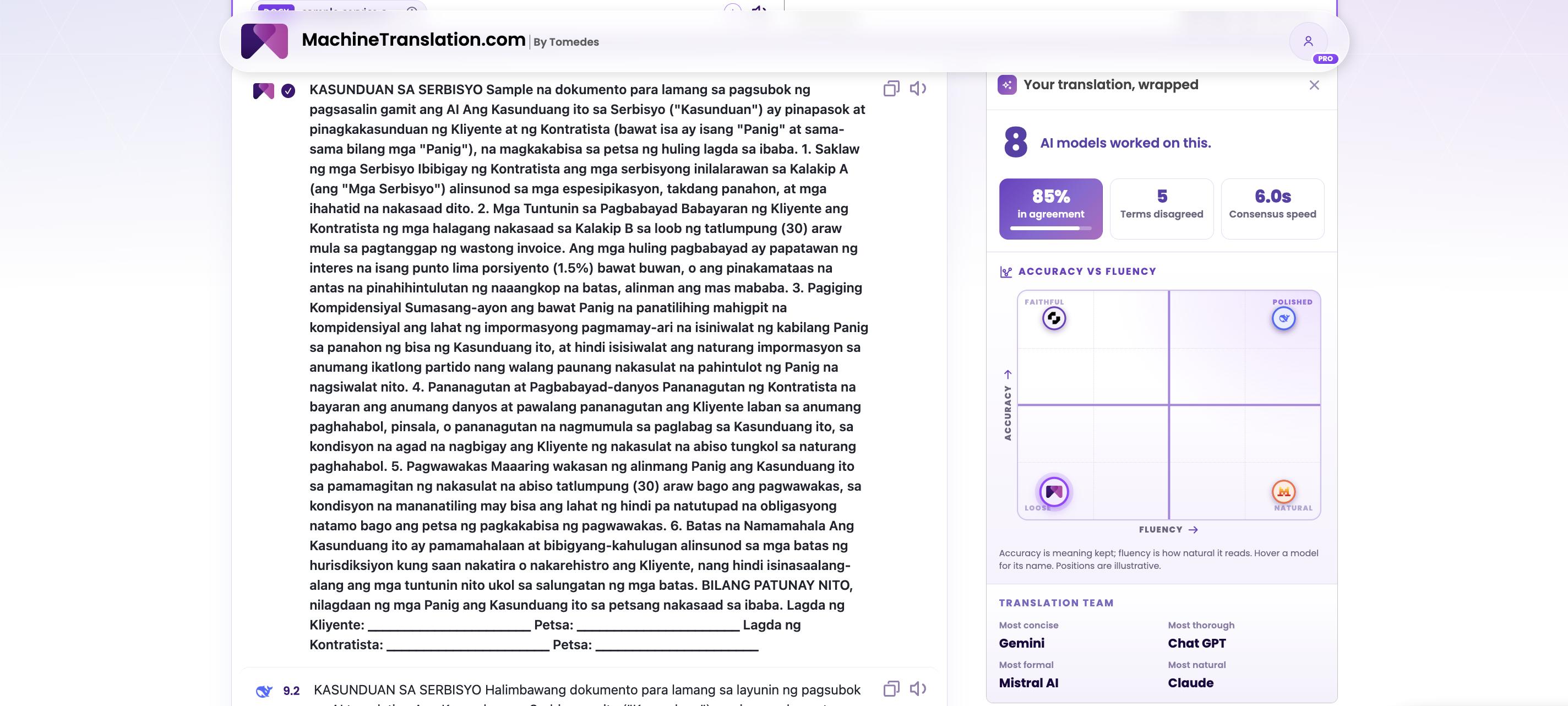
Open the consensus view. It shows how many models worked on the file, the percentage in agreement, and how many terms they disagreed on. Our rule of thumb is that 90% agreement with zero or one disputed term is a strong candidate to publish for everyday product copy, and agreement in the mid-80s or several disputed terms is a reason to route the text to a person, especially for product instructions.
Step 6: Review by category and by risk
Do not review the first 50 rows. Pick three to five products from every category, every product with a disputed term, your best sellers, and anything that carries a claim. For pages, start with the homepage, category pages, your top product pages, checkout, and policies. You can always view your past translations.
Step 7: Re-import and check on staging
Match rows by ID, re-import, and look at a staging copy before anything goes live. Check that tags are intact, characters display correctly, titles still fit your platform’s length limits after translation, and prices are formatted for the market.
What limits and costs apply to a catalogue?
Six numbers decide this. They come from the pricing page and the document translation page, and our guide to translating a large document covers each in detail. The example is a catalogue of 2,000 products at 60 words each, or 120,000 words.
Limits and costs for a 120,000-word catalogue
| Limit | The number | What it means for the catalogue |
|---|---|---|
| File size | 70MB per file | A text catalogue is far under it. Images embedded in a spreadsheet add weight |
| Text box | 3,000 words per click | 40 separate pastes, with nothing tying them together |
| Free-plan preview and unlock | A partial free preview of long text, then $2.50 per 300 words to unlock | 400 blocks of 300 words, so price the unlock against a 24-hour plan or Pro |
| Layout downloads | A fair-use limit of 100,000 words a day | 120,000 words needs two days |
| Human Verification | Free for up to 2,000 words a month on paid plans | About 33 descriptions of 60 words, so keep it for hero products and claims |
| Languages | Plan word limits still apply to a multi-language session | Work out your words per language before you choose the list |
The split question comes up here too. In our internal analysis, documents processed in fragments showed a 28% higher rate of terminology inconsistency than documents processed whole, which we describe in our guide to getting better results from AI translation. For a catalogue that means a product name can drift between sections. Upload the whole file, and if a limit forces a split, cut by category and reuse the same name list for every part.
How do you translate website pages without hurting your SEO?
Translation is the easy half of multilingual SEO. Google’s guidance on multilingual sites recommends a separate URL for each language version, hreflang annotations to link them, one language for the content and navigation on each page, and no automatic redirects based on a guessed language. It also warns that translating only the boilerplate while the bulk of the content stays in one language creates a bad experience when the same content appears in search results with different boilerplate languages.
Then there is the part that concerns AI. Google’s guidance on generative AI content says that using AI tools to generate many pages without adding value for visitors may violate its spam policy on scaled content abuse. It also says the review applies to title elements, meta descriptions, structured data, and alt text as well as body copy. That page covers generative AI content in general and does not mention translation. The principle still carries over to a translated catalogue. I treat the review step as part of publishing, and I would not push thousands of unreviewed pages live at once.
If you sell through Google Shopping, read Merchant Center’s policy too. Google’s guidance notes that Merchant Center has its own policy on AI-generated content, and that AI-generated product titles and descriptions must be specified separately and labeled as such. Whether that covers your translated feed is a question for Merchant Center support.
How do you check quality across thousands of products?
You cannot read every row in a language you may not speak, so check by sampling, and check the same six things every time.
Six checks on a translated catalogue
- Names: product and brand names look identical across rows and pages.
- Numbers: prices, sizes, quantities, and dates match the source and the market’s format.
- Units: measurements and sizes make sense in the new market.
- Claims: warranty, safety, and health statements say what the source says, no stronger.
- Tags and placeholders: markup, variables, and links survive.
- Length: titles and descriptions still fit your platform’s limits.
A mismatch is a question. Check the source before you decide which side is wrong.
I would start with one language and one category, then watch impressions and orders for that market in Search Console and your analytics for a few weeks before you add the next language. When you are ready, upload your catalogue or pages on the Document translation page.
Frequently asked questions
1. Can I translate a product catalogue with AI?
Yes. Export the products as a CSV or XLSX file, keep prices, SKUs, and URLs out of the translation file, and upload the rest as one file. No AI model guarantees every name and claim, so read the agreement signals and review a sample from every category before you import.
2. How do I translate a CSV or Excel product list?
Upload the file on the Document translation page. For an Excel file, MachineTranslation.com translates the content while preserving the data structure: column headers, cell values, and labels. Save a CSV as UTF-8 first so accented characters survive.
3. How do I translate HTML pages without breaking the tags?
Upload the HTML file. Only the visible text is translated and the tags stay intact. Check a sample page in a staging copy before you publish.
4. Can I translate a product catalog into several languages at once?
Yes. MachineTranslation.com lets you upload multiple files and select multiple target languages in one session on every plan. Plan word limits still apply, so work out your words per language before you pick the list.
5. Will machine-translated product pages hurt my SEO?
Google's guidance does not single out translation. It recommends a separate URL for each language version with hreflang annotations, and it warns that using AI to generate many pages without adding value for visitors may violate its scaled content abuse policy. Review titles, meta descriptions, and alt text along with the body copy.
6. Should brand and product names be translated?
Decide per name. Keep brand names as they are and pin the rendering of any product name that needs one. In our product sheet test, one of four product names was translated, which is how a catalogue ends up with two names for one product.
7. How much does it cost to translate a product catalogue with AI?
It depends on your plan and your word count. The Free plan previews long text and unlocks it at $2.50 per 300 words, which makes a 120,000-word catalogue 400 blocks. Pro and 24-hour plans unlock translations automatically, so price them against the unlock.

By William Mamane
Connect on LinkedInWilliam leads marketing and growth at Tomedes, where he turns SEO experiments and real campaign data into the strategy behind MachineTranslation.com's reach. He writes about how AI products actually get found and trusted plus the tactics that work, the ones that don't, and what search is rewarding right now.
Share:


