September 24, 2026
What's the fastest way to translate a document?
Upload the whole file instead of pasting text, and let the platform handle layout and formatting on its own. That's been true on MachineTranslation.com for a while. What changed recently is how fast the file comes back. You upload a contract, wait for the translation, then click download and wait again. On a bad day, that second wait is long enough to open a new tab and forget you were mid-task. That second wait is the one we just went after.
It matters more than a one-line changelog entry suggests. Uploading a whole document is already the strongest signal of real intent on the platform: paying users who upload a file average a job roughly 150 times larger than a typical pasted translation, and a majority of paying users have uploaded a full document at least once. When someone has gone to the trouble of uploading a contract, a deck, or a report, the download is the last step standing between the work they did and the file they actually needed.
What changed
Downloads are now faster for these formats:

HTML and HTM are new additions to the upload list. DOC, DOCX, PDF, JPG and PNG were already supported; those are the formats that download faster under the new flow. MachineTranslation.com accepts several other formats too (Excel, PowerPoint, subtitles, and more), see the full list on the document translation page.
There's nothing to turn on. If you're translating one of the formats above, the faster download is already the one you'll get.
What this looked like on a real file
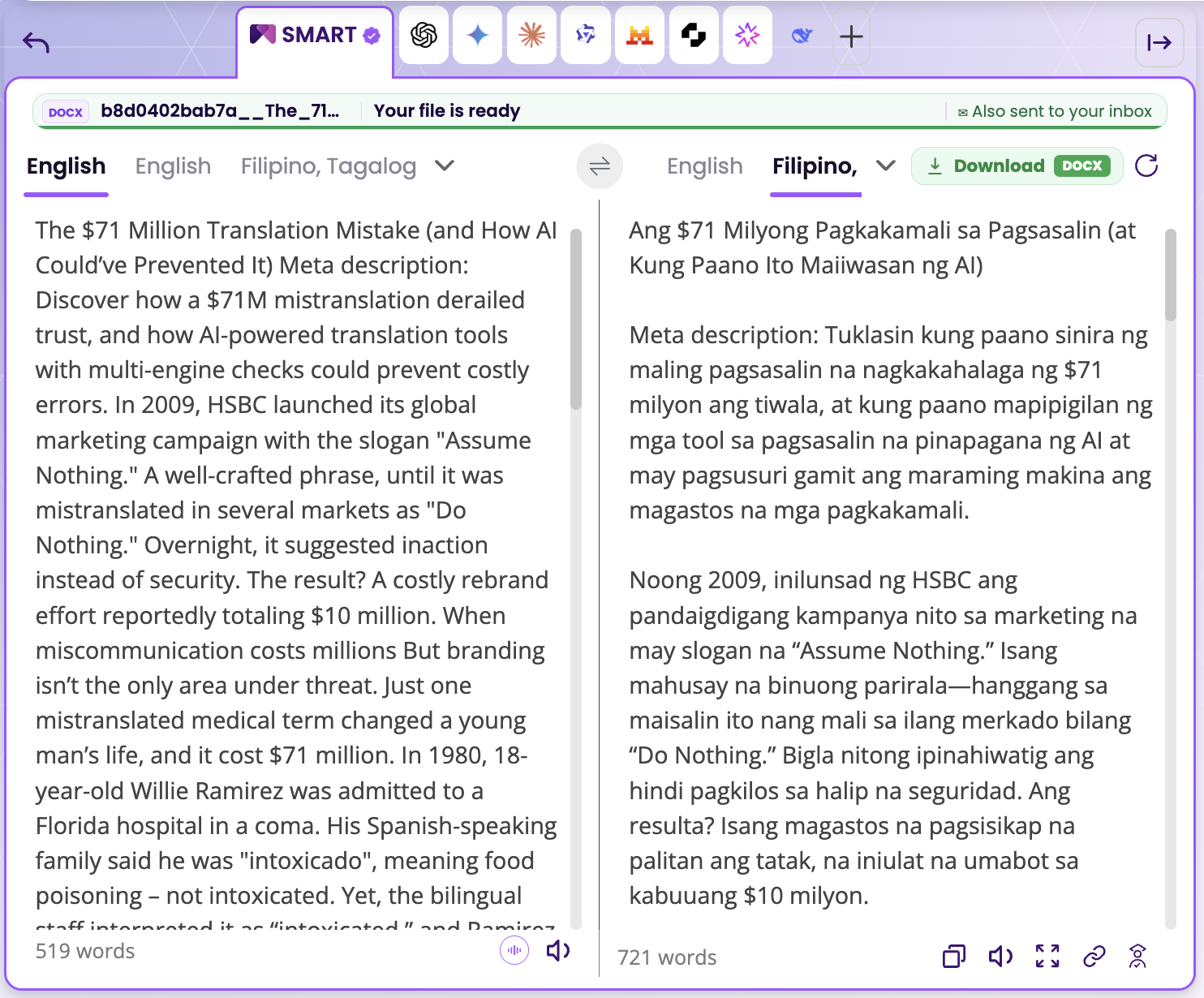
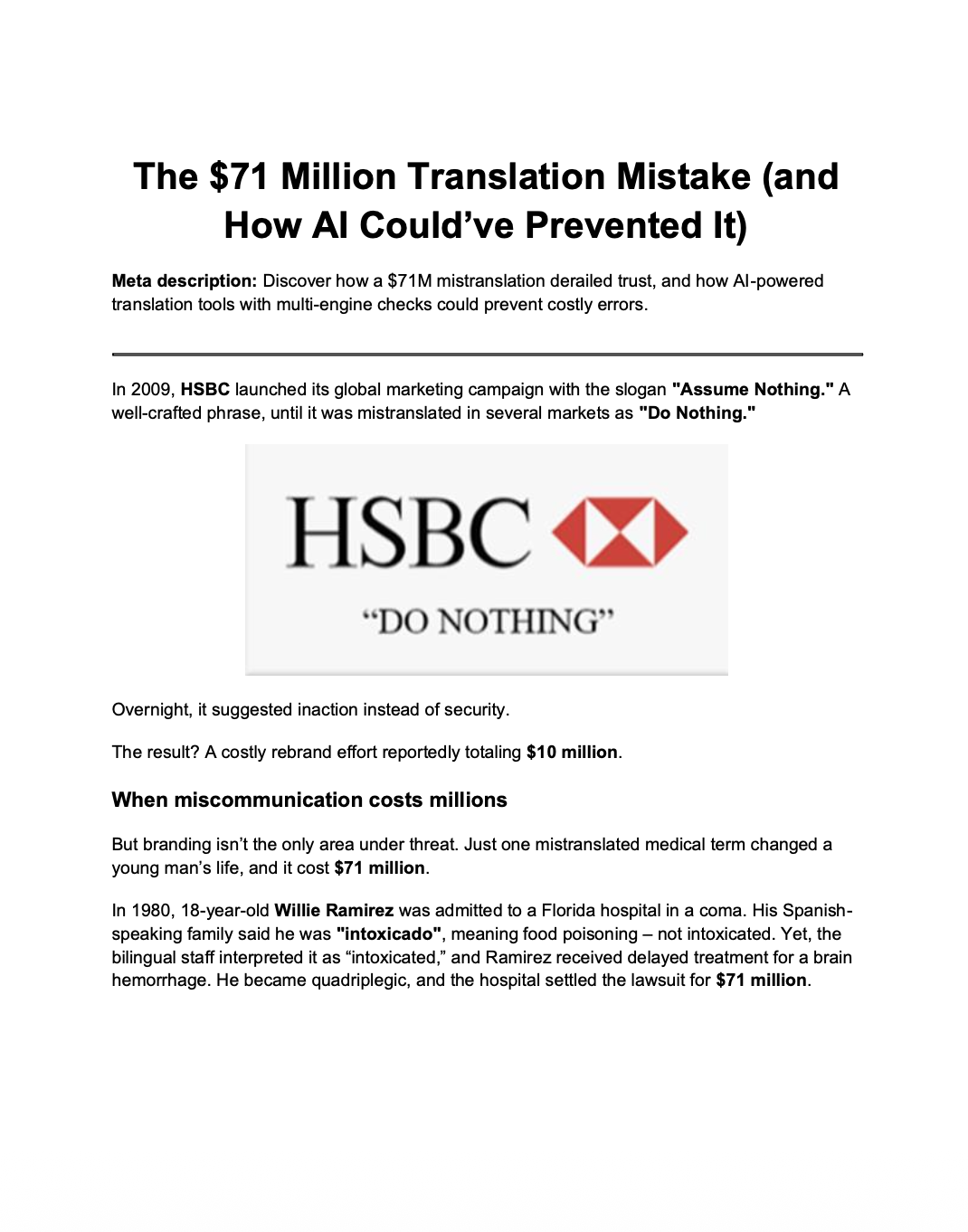
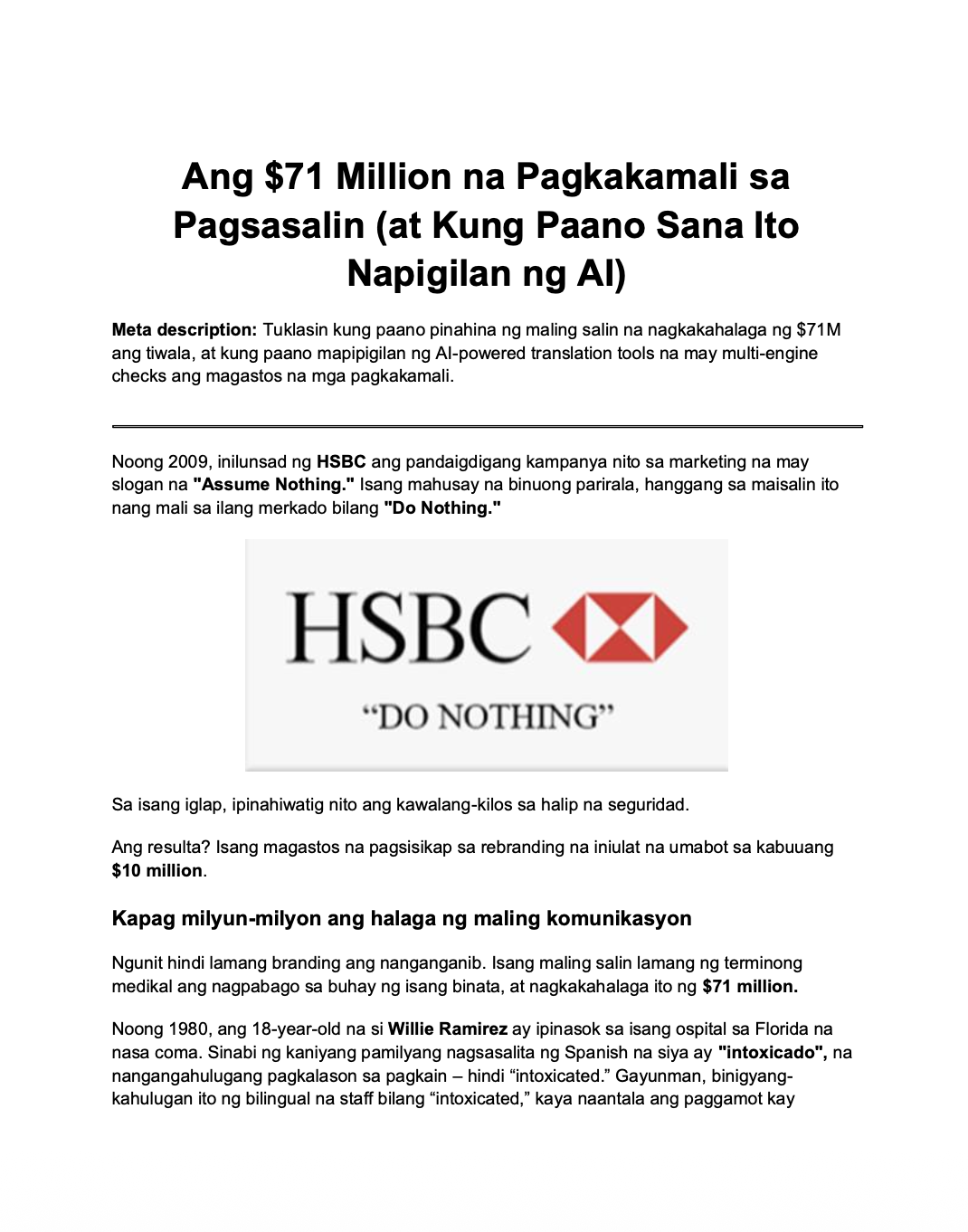
Rather than describe the speed in the abstract, here's an actual run. The test file was a DOCX draft of one of MachineTranslation.com's own blog posts, about a mistranslation that cost a company $71 million, translated from English into Filipino, Tagalog. If a document about the cost of getting translation wrong came back wrong itself, that would have been a bad sign. It didn't.
MachineTranslation.com emails a notification when a document starts processing and another when the download is ready. On this run, the "track your document translation progress" email landed at 2:37 PM, and the "download your translated file" email landed at 2:38 PM. Start to finish, that took one minute.

The other half of the test was whether the file still looked right afterward. The source document ran 519 words in English. It came back at 721 words in Filipino, Tagalog, which tracks with how much more space Filipino needs to say the same thing.
What mattered more was what didn't change. Headings stayed headings. Bold text stayed bold. An embedded image in the original, the HSBC logo used as an example in the article itself, carried straight through into the translated file in the same position.
A document that comes back fast but loses its heading structure or drops an image still isn't done. Someone has to rebuild it by hand. This update had to do both at once, fast and intact, or it wasn't done either.
Likely reason: rebuilding a file means writing translated text back into its original structure, headings, tables, images, then saving a clean copy. Wait for the whole document first, and that rebuild lands in one lump at the end. Start rebuilding as sections finish, and the same work spreads out instead.
Translating the words was never the hard part. We used to wait for the whole document before rebuilding it. Now we rebuild as sections come back, headings, bold text, images, all in place. That's what saved the minute.
Why HTML and HTM specifically
Web pages, help center articles, and internal documentation usually live as HTML before anyone touches them in a CMS. Until now, translating one meant exporting it to DOCX or PDF first, translating that, and exporting it back, an extra step that risked losing formatting on the way. Uploading the HTML or HTM file directly skips that round trip.
This fits the same idea behind MachineTranslation.com's own guide to translating a document without losing the formatting: a translated file only helps if it's still usable in the format you actually work in. Trade press has covered this capability too: Slator's report on MachineTranslation.com's large-file update noted that headings, fonts, and images stay where they belong.
Where this fits
Translation accuracy and how the consensus engine scores model agreement are unchanged by this update. What's different is the friction between finishing a translation and actually using it, the kind covered in MachineTranslation.com's usage data on file uploads and session length. That friction was real, and it's smaller now.
If you're translating something for official use rather than internal reference, that's a separate question from download speed, and it's covered by human verification, not by how quickly a file reaches your device.
Frequently asked questions
1. What file formats can I upload to MachineTranslation.com now?
This update covers DOC, DOCX, PDF, JPG and PNG, which now download faster, plus HTML and HTM, which are newly supported uploads. MachineTranslation.com accepts several other formats too, including Excel, PowerPoint, and subtitle files. The full list is on the document translation page.
2. Why are downloads faster on MachineTranslation.com now?
MachineTranslation.com rebuilt the step that happens after a translation finishes, where your file gets reassembled and handed back to you. In a real test on a DOCX file, tracking started at 2:37 PM and the download was ready at 2:38 PM, a one-minute turnaround for DOC, PDF, JPG and PNG files.
3. Does formatting survive the faster download?
Yes. Headings, bold text, and embedded images stay in place in the translated file, in the same positions as the original. Faster delivery didn't change how MachineTranslation.com rebuilds a document's layout, it just shortened the time between starting the download and having the finished file.
4. Is there a way to translate an entire document?
Yes. Upload the whole file, DOC, DOCX, PDF, JPG, PNG, HTML, HTM, or another supported format, directly to MachineTranslation.com instead of pasting sections of text. The platform translates the complete document in one pass and returns a file in the original layout, not a preview or an excerpt.
5. How can I automatically translate a PDF document?
Upload the PDF directly to MachineTranslation.com rather than copying text into a text box. The platform reads the file, including scanned PDFs through OCR, runs it through the multiple AI models, and returns a translated PDF with the original layout preserved.
6. What is the fastest way to translate a document?
Upload the whole file instead of pasting text in sections. Most AI document translation finishes in under a few minutes for typical files. MachineTranslation.com's DOC, PDF, JPG and PNG downloads got faster in a recent update, about a minute from upload to download in one real test.

By Shashank Jain
Connect on LinkedInShashank leads engineering at Tomedes, where he's responsible for making 22+ AI models run as one platform without anyone noticing the complexity underneath. He writes about how AI translation actually gets built and kept running plus the architecture decisions, the performance trade-offs, and the parts that only look simple from the outside.
Share:


